MTA Train Times redux

Version 1 of this was a single workflow that was functional, but had some issues over time.
- The files were downloaded and stored in
/tmpbut the server periodically removed these and the workflows were not aware of this. - The time taken to look up the trains was "OK", but not "Great".
Version 2 splits things into 2 workflows, one to retrieve and store the data, and another to query it and push the details. It drops the python code, and adds some Postgres.
Saving the data
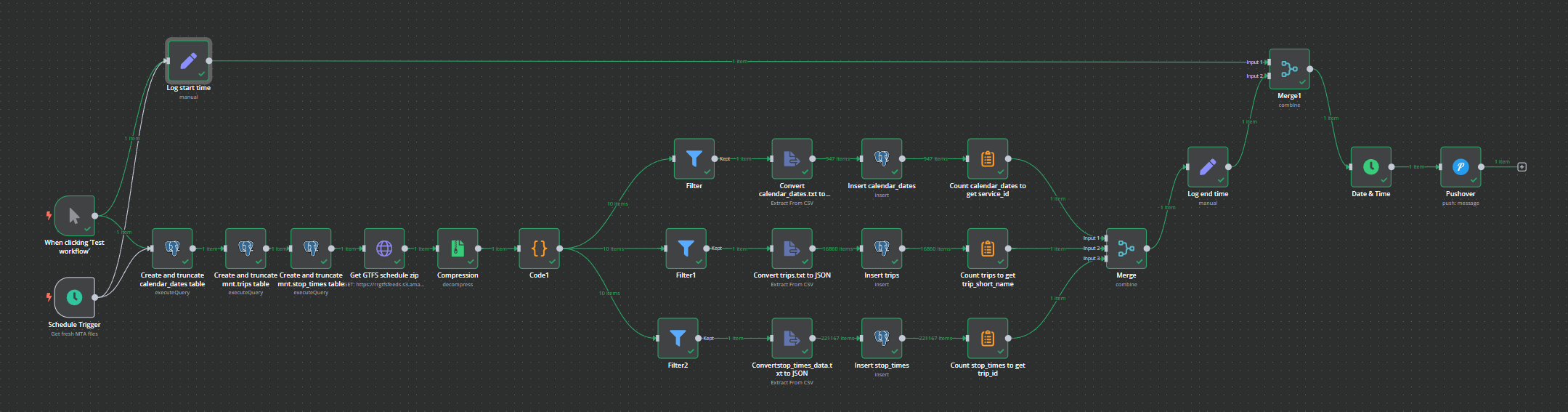
Database prep first, make sure the tables we need exist and are clear of the previous data:
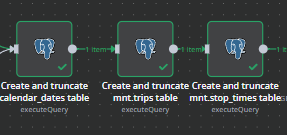
Each block does something similar to this, create the table if it doesn't exist. Truncate the table to delete and existing data but keep the structure.
CREATE TABLE IF NOT EXISTS mnr.stop_times (
    trip_id TEXT,
    arrival_time INTERVAL,
    departure_time INTERVAL,
    stop_id INTEGER,
    stop_sequence INTEGER,
    pickup_type INTEGER,
    drop_off_type INTEGER,
    track TEXT,
    note_id TEXT
);

TRUNCATE mnr.stop_times;
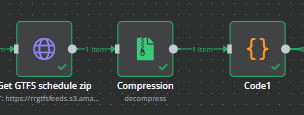
Then grab the data from the MTA site, uncompress the zip, and iterate through each data element and split them out.
Once we have the 3 files we want, we extract the CSV data to JSON and insert it into the database table. We'll wait till all three branches have completed before continuing.
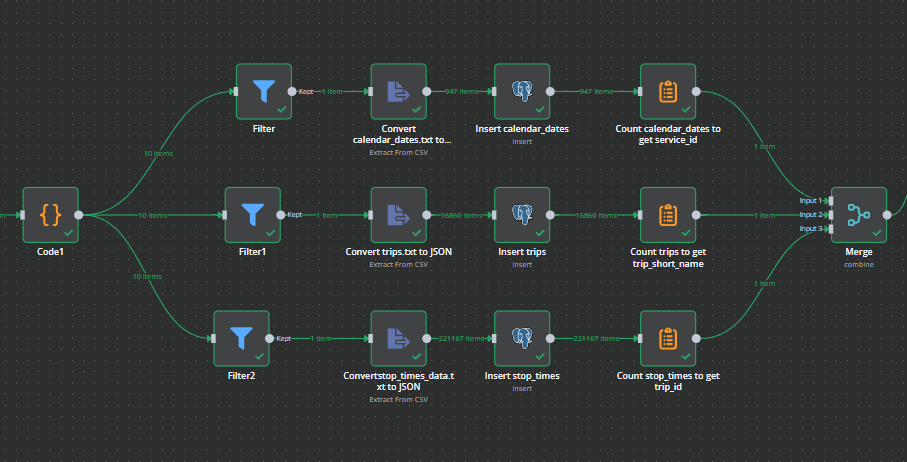
We also get the count of the number of rows so that we can report on that at the end.
The N8N GUI is slow when dealing with very large numbers of items, and the stop_times data has >200k records, so the overall workflow had some timing points added so that we can track how long it takes to execute.
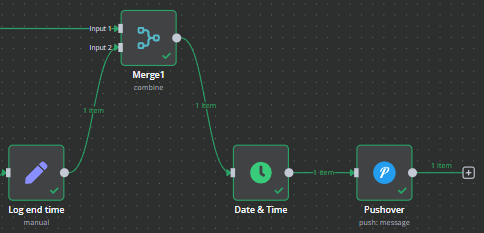
We grab the time when the triggers are started, and then again when the database elements have been written. Subtract one from the other and we have our workflow duration. This is added to the Pushover notification template:
Loaded MNR data at {{ $json.workflow_end_time }} in {{ $json.workflow_execution_time.hours }}:{{ $json.workflow_execution_time.minutes }}:{{ $json.workflow_execution_time.seconds }}.{{ $json.workflow_execution_time.milliseconds }}

Record counts:
- Trips {{ $json.count_trip_short_name }}
- Calendar Dates {{ $json.count_service_id }}
- Stop Times {{ $json.count_trip_id }}
Querying the data and returning it
Once the database is populated, a second workflow is used to query it on demand and push the results.
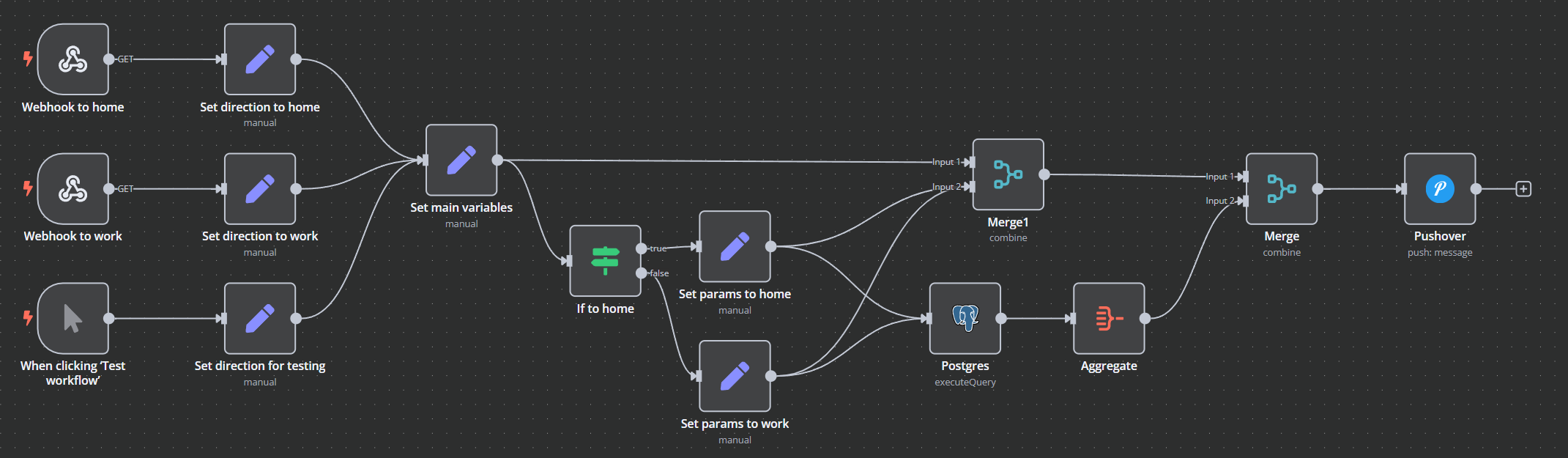
Again, a manual trigger for testing, and then separate webhooks for "To Work" and "To Home" that set the necessary parameters for the rest of the workflow.
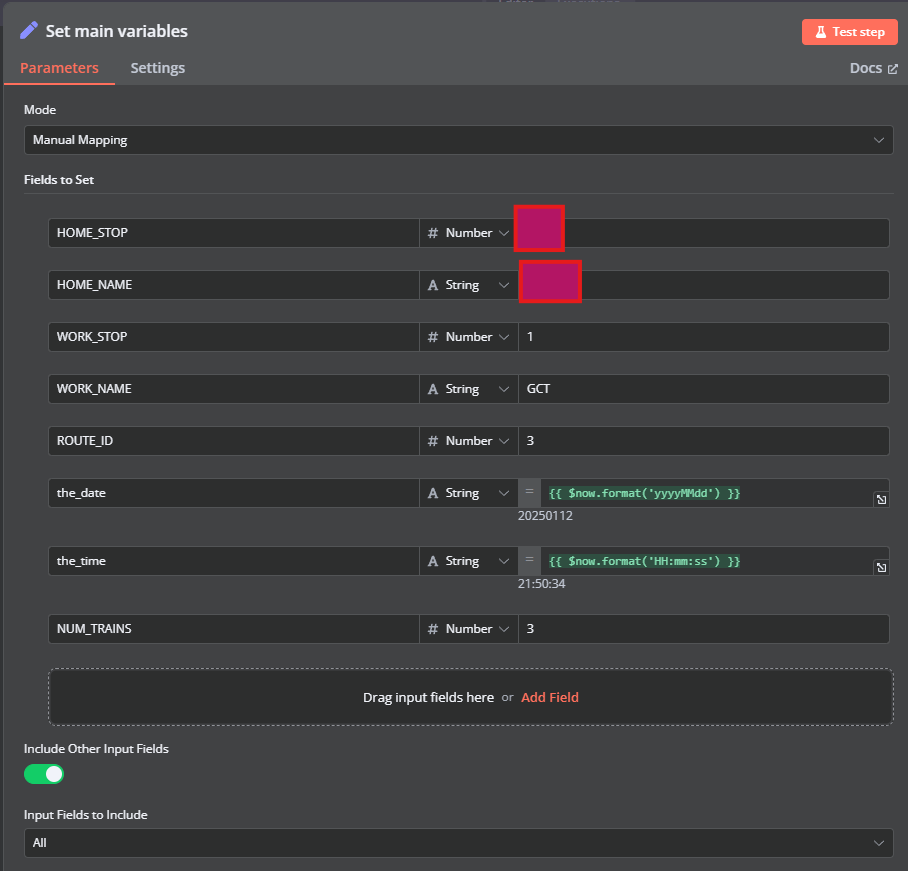
We set different DEPARTURE and ARRIVAL variables depending on whether we are going home or to work.
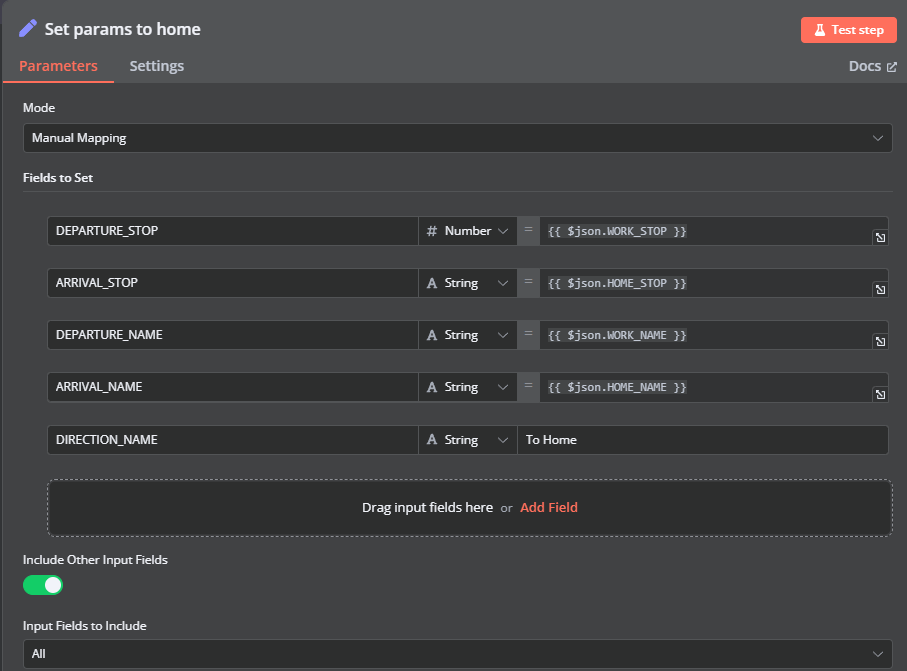
Most of the heavy lifting is done in the Postgres node running a SQL query:
select
  st1.trip_id,
  st1.departure_time as departure_time, st1.stop_id as departure_stop, st1.track as departure_track,
  st2.departure_time as arrival_time, st2.stop_id as arrival_stop, st2.track as arrival_track,
  mnr.trips.direction_id, mnr.trips.trip_short_name,
  abs(st1.stop_sequence - st2.stop_sequence) as stops
FROM mnr.stop_times st1
JOIN mnr.stop_times st2
ON st1.trip_id = st2.trip_id
JOIN mnr.trips on st1.trip_id = mnr.trips.trip_id
WHERE st1.stop_id = $1 and st2.stop_id = $2
  and st1.trip_id in
  (
    select distinct(trip_id) from mnr.trips
    where service_id in
      (
      -- services
      select distinct(service_id) from mnr.calendar_dates where date = $3
      )
    and route_id = $4
  )
and st1.stop_sequence < st2.stop_sequence
and st1.departure_time >= $5
order by departure_time limit $6;
The query parameters are then:
$1={{ $json.DEPARTURE_STOP }}

$2={{ $json.ARRIVAL_STOP }}

$3={{ $json.the_date }}

$4={{ $json.ROUTE_ID }}

$5={{ $json.the_time }}

$6={{ $json.NUM_TRAINS }}
The query looks for trips that have both the arrival and departure stops in the same trip (joining the table to itself as different references), and filters for the services that are running on a particular line on that date. It also joins in some data from the trips table so that we can see the trip short name.
The query here completes in a handful of milliseconds, vs the several seconds that the original version spent loading and uncompressing the files and parsing them each time. Databases really are good at managing data.
All of this is then bundled into the template to be pushed to Pushover.
<b>Departs {{ $json.DEPARTURE_NAME }} / {{ $json.data[0].departure_time.hours.toString().padStart(2, "0") }}:{{ $json.data[0].departure_time.minutes.toString().padStart(2, "0") }} / Track: {{ $json.data[0].departure_track }} </b>
Arrives {{ $json.ARRIVAL_NAME }} / {{ $json.data[0].arrival_time.hours.toString().padStart(2, "0") }}:{{ $json.data[0].arrival_time.minutes.toString().padStart(2, "0") }} / Track: {{ $json.data[0].arrival_track }}
Going {{ $json.DIRECTION_NAME }} [Trip: {{ $json.data[0].trip_short_name }}]

<b>Departs {{ $json.DEPARTURE_NAME }} / {{ $json.data[1].departure_time.hours.toString().padStart(2, "0") }}:{{ $json.data[1].departure_time.minutes.toString().padStart(2, "0") }} / Track: {{ $json.data[1].departure_track }} </b>
Arrives {{ $json.ARRIVAL_NAME }} / {{ $json.data[1].arrival_time.hours.toString().padStart(2, "0") }}:{{ $json.data[1].arrival_time.minutes.toString().padStart(2, "0") }} / Track: {{ $json.data[1].arrival_track }}
Going {{ $json.DIRECTION_NAME }} [Trip: {{ $json.data[1].trip_short_name }}]

<b>Departs {{ $json.DEPARTURE_NAME }} / {{ $json.data[2].departure_time.hours.toString().padStart(2, "0") }}:{{ $json.data[2].departure_time.minutes.toString().padStart(2, "0") }} / Track: {{ $json.data[2].departure_track }} </b>
Arrives {{ $json.ARRIVAL_NAME }} / {{ $json.data[2].arrival_time.hours.toString().padStart(2, "0") }}:{{ $json.data[2].arrival_time.minutes.toString().padStart(2, "0") }} / Track: {{ $json.data[2].arrival_track }}
Going {{ $json.DIRECTION_NAME }} [Trip: {{ $json.data[2].trip_short_name }}]
End result is better monitoring of the data loading, and quicker responses when the webhooks are called.