Automate, maybe? Complicate definitely.

As a Christmas gift this year, I purchased some subscriptions to have coffee from Square Mile Coffee delivered to some family members every couple of weeks.
I would like them to know when the coffee is being delivered, and I could just forward them the tracking email that arrives. This would be 100% functional. But also boring.
It's nice to have a website that can have those details on it, with a fun domain name, and maybe when I add the details to the site, they can get an email telling them. And maybe we can make the page/post/email automatically, with some fun images added for interest.
Ingredients for automated coffee notifications:
- Self-hosted Ghost site, set up with mailgun email credentials on a fun domain.
- N8N to tie all the workflow steps together.
- Registered application and developer credentials to the Unsplash site, for royalty free images.
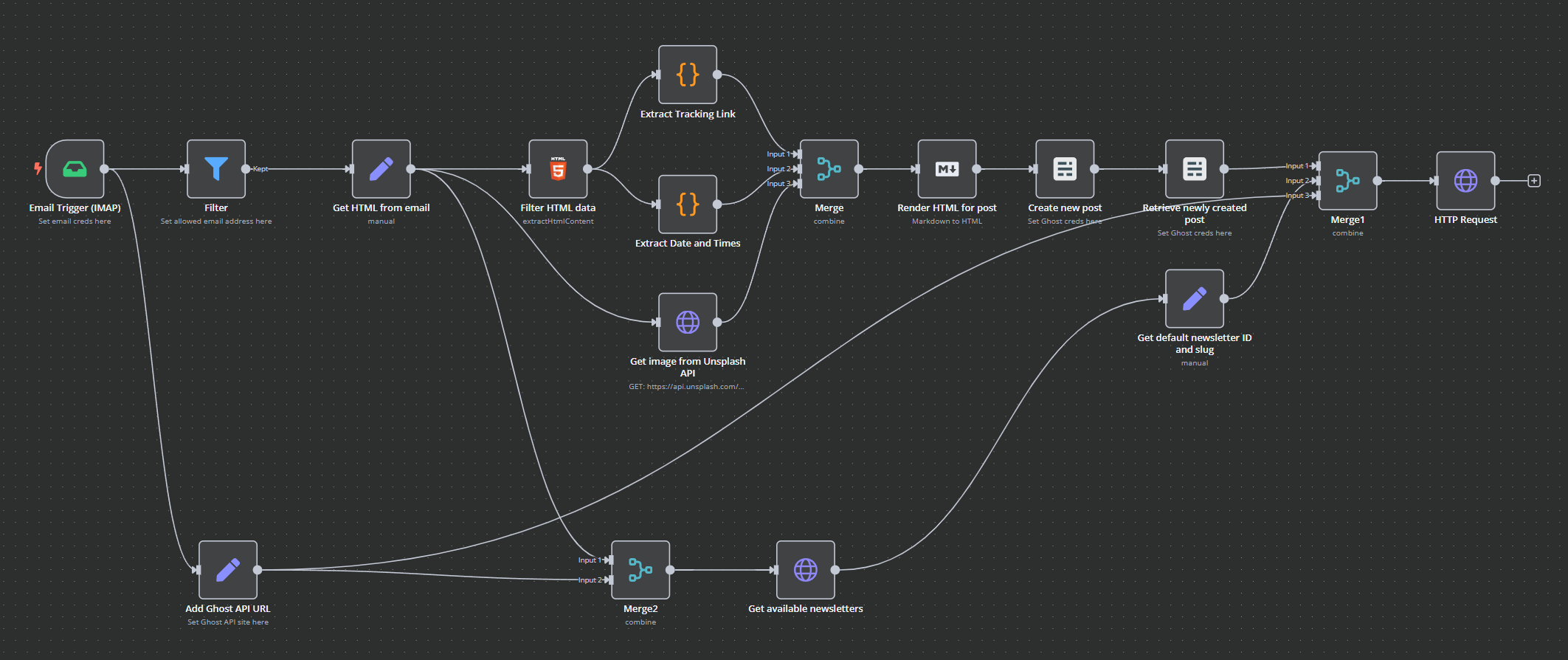
The workflow that ties it all together.
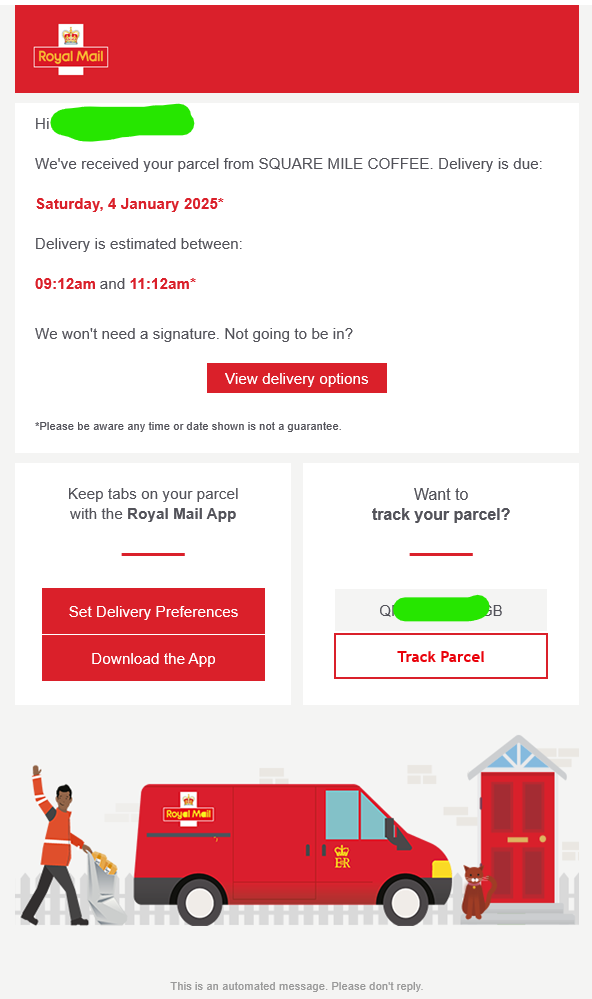
The tracking email that arrives (to me) has some dates and times that are useful to know so that we can add them to the post/email, and it has a tracking link that we also want to include.
After doing some basic checks to make sure that the email is one we want to process, and that it comes only from me, we extract the html text from the email itself and filter it based on some identifiable characteristics - in this case the text we want is helpfully in bold, and we can extract all of the links in the html.
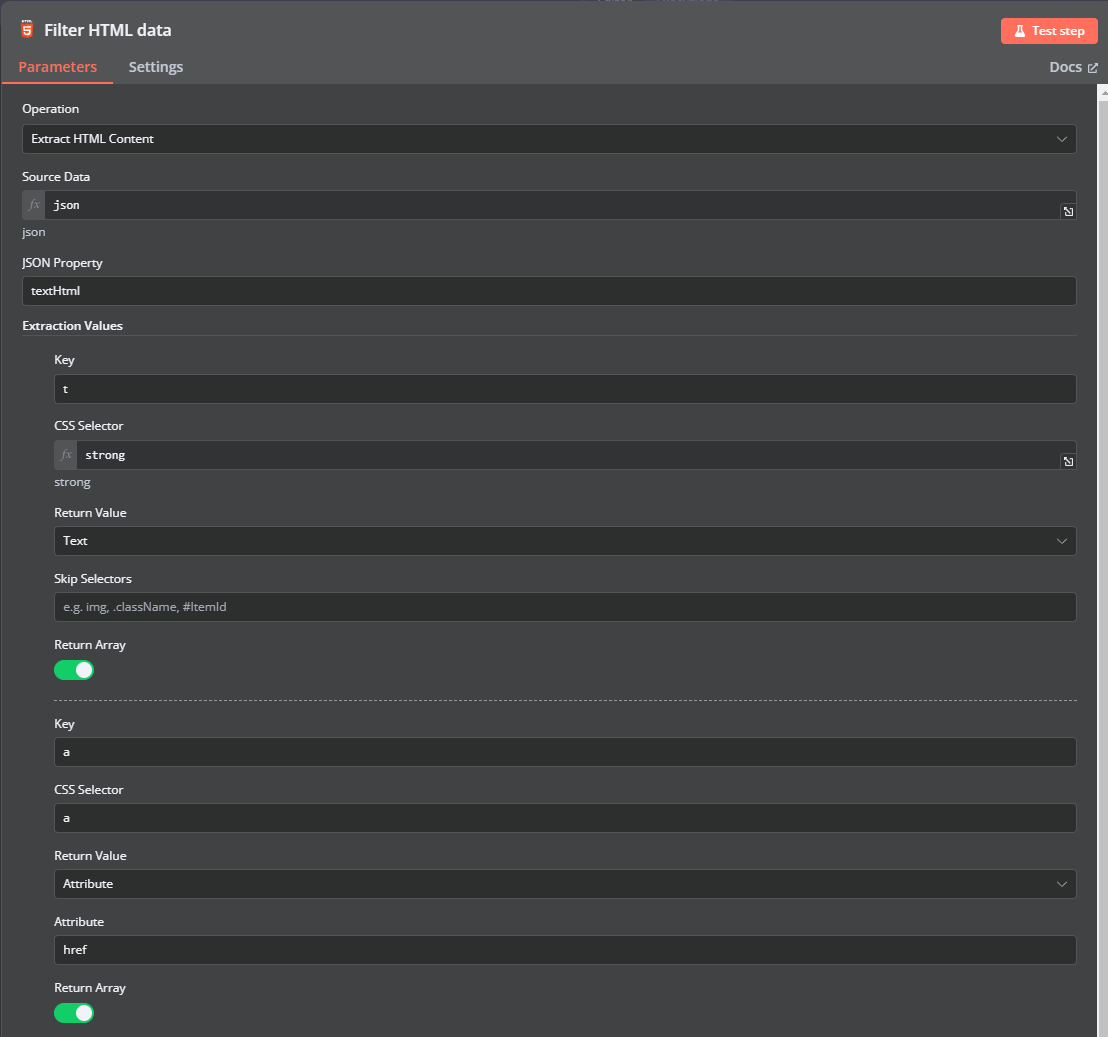
The links we scrub through and extract the first one that matches the Royal Mail tracking site.
// The input data from the HTML node contains the extracted links
const links = $json["a"]; // Assuming the HTML node extracted the links into this field

// Define the target domain
const targetDomain = 'https://ryml.me';

// Array to store matching links
let matchingLinks = [];

// Loop over the links and check if they start with the target domain
links.forEach(link => {
  if ( link.startsWith(targetDomain)) {
    matchingLinks.push(link);
  }
});

let trackingLink = matchingLinks.at(0)

// Return the matching links as the output of this node
return { json: { trackingLink } };
and the text we want to grab happens to be the first 3 items that were in bold.
const textvals = $json["t"];

let deliveryDate = textvals.at(0);
let earliestTime = textvals.at(1);
let latestTime = textvals.at(2);

// Return the matching links as the output of this node
return { json: { deliveryDate, earliestTime, latestTime } };
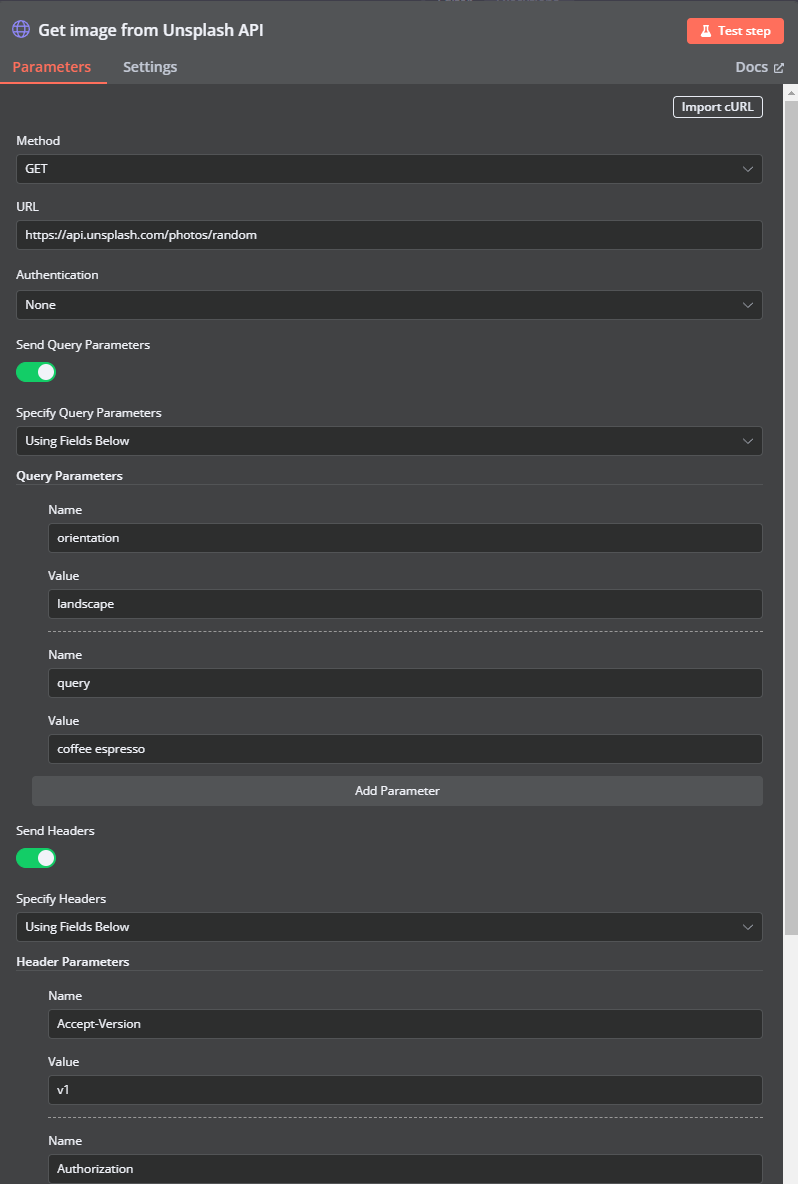
To make the post more interesting we grab an image from Unsplash, asking the API for a random image that matches a couple of keywords and is in landscape orientation. We pass our API key in the Authorization header.
Now we have all the basic elements for the post/email, we render some markdown into HTML that will be included into a Ghost post.
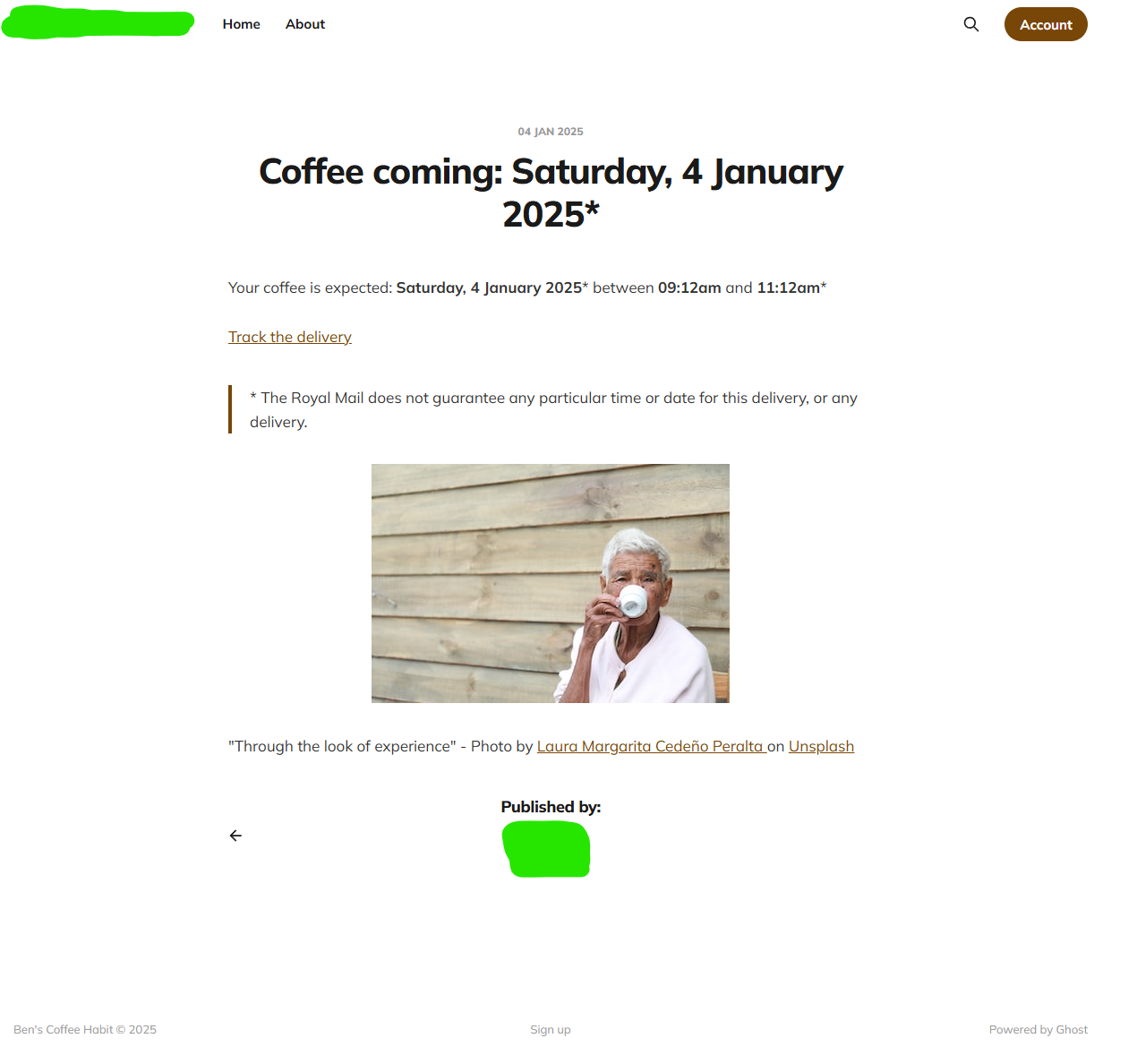
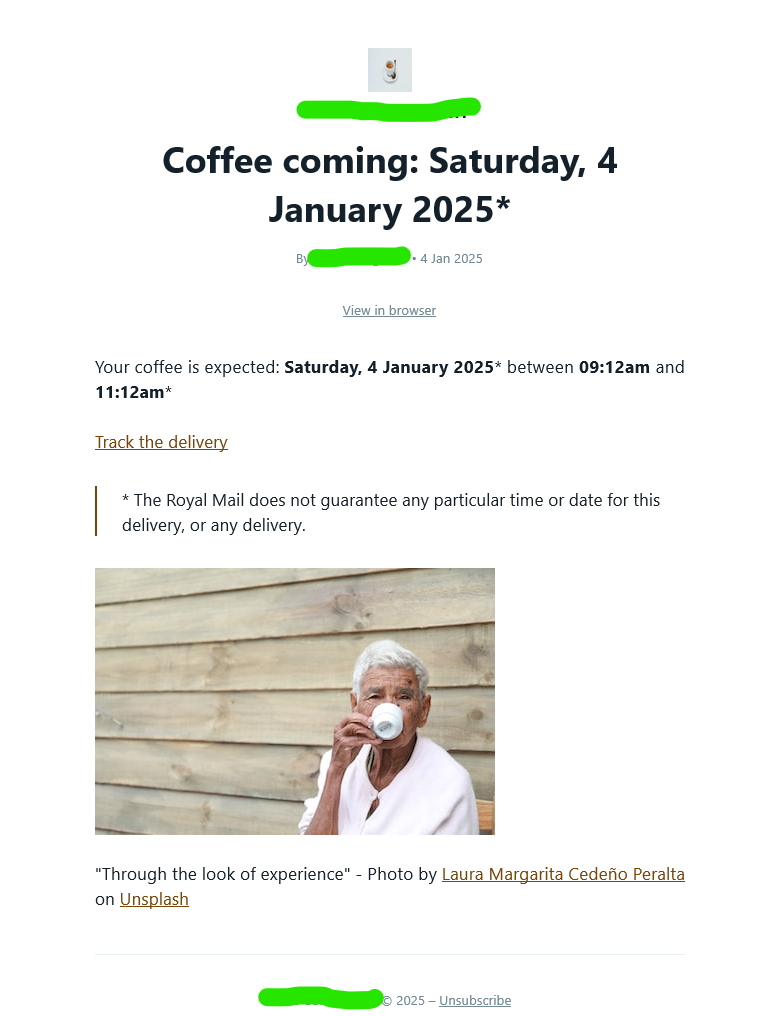
Your coffee is expected: **{{ $json.deliveryDate }}** between **{{ $json.earliestTime }}** and **{{ $json.latestTime }}**
[Track the delivery]({{ $json.trackingLink }})
> \* The Royal Mail does not guarantee any particular time or date for this delivery, or any delivery.

"{{ $json.description }}" - Photo by [ {{ $json.user.name }} ]({{ $json.user.links.html }}?utm_source={{unsplah_app_name}}&utm_medium=referral) on [Unsplash](https://unsplash.com?utm_source={{unsplash_app_name}}&utm_medium=referral)
After the Ghost post is created (in draft status), we retrieve it from the Ghost system (we'll need the last updated time of the post from the system to do a subsequent update), grab the newsletter details (so that Ghost will send the post as an email), and use the Ghost API to set the post status to published.
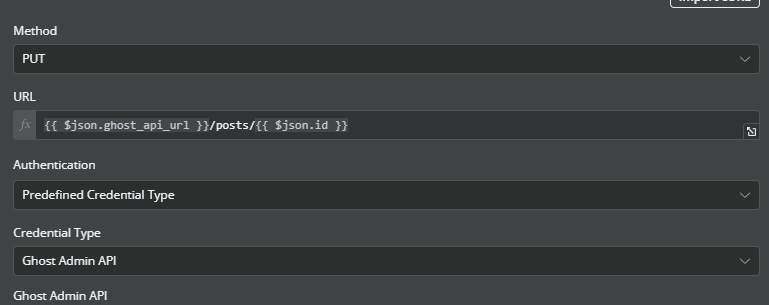
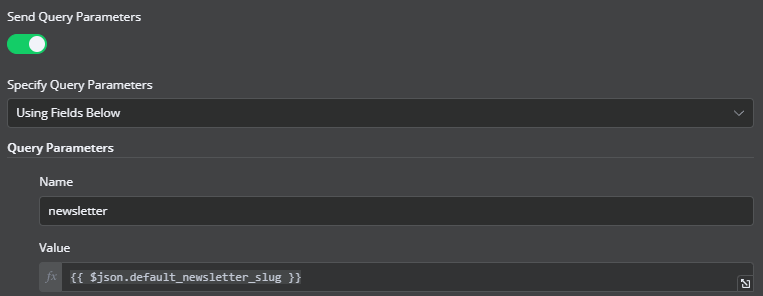
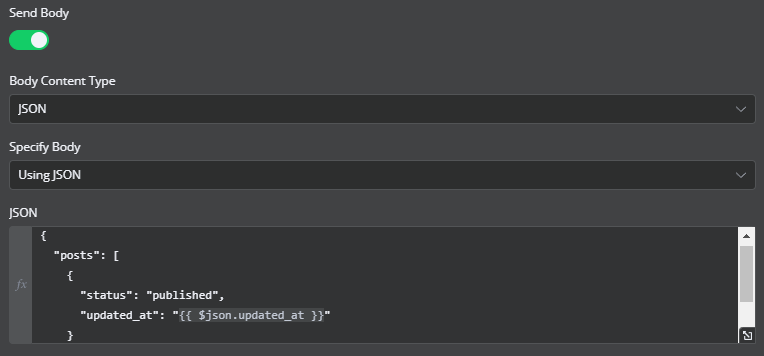
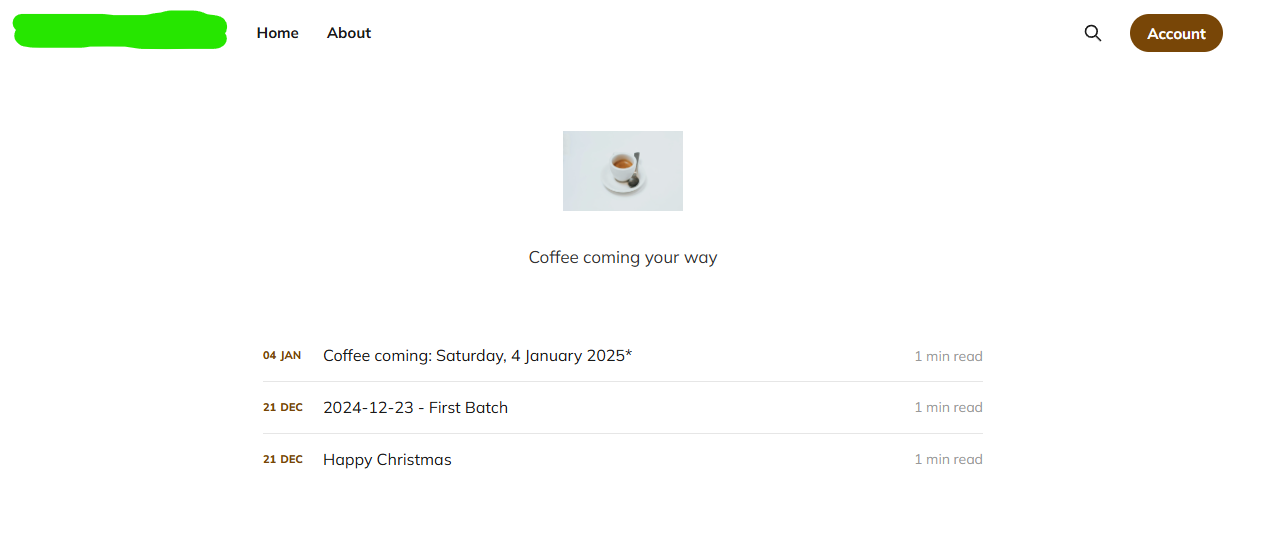
From there the Ghost system does the rest of the work. The site is templated so that the articles are added to a section on the front page.
The post itself is created:
And the email newsletter is sent out:
Overkill? Yes. Fun project, also yes.